
Calm Movements
Calm Movement 1
Bougainvillea sways gently in a soft breeze. “Calm Movement 1” works as an animated desktop background for focused work sessions and clearly arranged Boxes — files, folders and controls remain easy to scan.
233 Included motion backgrounds
Transform every Desktop Experience into a living workspace. Choose premium Glass Desktop Box™ motion collections or upload your own MP4 videos to create a desktop that matches your style.
Animated Box Backgrounds
Animated Desktop Backgrounds
Animated desktop backgrounds in practice
A desktop that moves with you
233 animation options for Desktop Boxes and the desktop, including animated backgrounds and live clock designs.
A desktop background normally stays in the background. Motion Desktop Experiences give it a more active role without turning the workspace into a distraction. A quiet movement of water, light, forest air, or abstract color can set the tone for a workday before the first file is opened. The result is an animated desktop environment that still feels practical: your folders remain where they are, and Glass Desktop Box keeps the visible workspace organized around the work you need to do.
Animated desktop personalization works best when it supports attention instead of competing for it. That is why the experience is designed around continuous, considered loops rather than noisy effects. Use a subtle MP4 background behind a focused writing session, a calm visual rhythm for planning, or a more expressive motion wallpaper when presenting work to a client. Desktop Boxes and Organizer Boxes remain the functional layer above the motion, so the desktop stays readable, useful, and recognizably yours.
Every workspace can have its own visual identity. A client-facing Desktop Experience might use a polished water reflection or Floating Glass loop, while a personal planning workspace uses Forest Breeze. A deep-work desktop can stay almost still with a low-motion ambient video. When you switch Desktop Experiences, Glass Desktop Box restores the background, box arrangement, colors, transparency, and layout saved for that context. You do not need to rebuild the workspace each time you change from one kind of work to another.
MP4 desktop backgrounds also give creative teams a flexible way to make a working environment feel specific to a project. A designer can use a branded motion treatment while developing a campaign. A studio can prepare an immersive workspace for a review. A freelancer can create distinct visual spaces for different clients without mixing files or attention. The background is personal, but the organization remains deliberate: files stay in their existing locations while Glass Desktop Box presents a clearer route to them.
Live clocks combine useful time information with a calm, uncluttered desktop design. The local time is taken automatically from the system, so the display fits the user’s location without manual setup. Elegant, minimalist or sporty watch faces give each workspace a distinctive visual character, while collapsed Desktop Boxes keep the main task in clear view. Time remains present without demanding attention or interrupting the flow of work.
Motion Desktop Experiences are not limited to the included collections. Upload an MP4 that reflects a project, season, place, or personal mood, then balance it with the opacity and colors of your Desktop Boxes. A higher-opacity box can make dense file lists easy to scan over a detailed video; a more transparent box can preserve the feeling of an open, immersive workspace. This level of control means animated desktop customization can fit a disciplined business setup as naturally as a creative home office.
Performance still matters. Well-chosen short loops make the visual environment feel alive while keeping playback lightweight. Glass Desktop Box is designed for smooth, continuous motion with minimal system impact, and you remain in control of which desktop uses animation. Start with a premium motion wallpaper or an MP4 you already own, then explore the Desktop Experiences, match it with a custom Desktop Box style, and download Glass Desktop Box when you are ready to make the desktop more personal and more useful.
233 Included motion backgrounds
Explore calm water, living libraries, deep space and cinematic story worlds. Every silent animation can be used as a continuous desktop or box background.
Multiple assignment: an animation can appear under several work styles, so the figures overlap and should not be added together.
7 Included motion backgrounds
Bougainvillea sways gently in a soft breeze. “Calm Movement 1” works as an animated desktop background for focused work sessions and clearly arranged Boxes — files, folders and controls remain easy to scan.
Bougainvillea sways gently in a soft breeze. “Calm Movement 1” works as an animated desktop background for focused work sessions and clearly arranged Boxes — files, folders and controls remain easy to scan.

A cruise ship glides steadily across the calm ocean. With “Calm Movement 2”, users can personalize a Windows desktop without pushing files, folders or controls out of visual focus — files, folders and controls remain easy to scan.

Curtains and plants move softly in the breeze. As a moving background, “Calm Movement 3” gives the digital workspace character while preserving a readable work area — files, folders and controls remain easy to scan.

A wind sculpture rotates gently in the breeze. “Calm Movement 4” adds motion to desktop customization and suits project Boxes, creative tasks and modern Windows setups — files, folders and controls remain easy to scan.

A Mediterranean bedroom moves gently in a soft breeze. For anyone who wants to improve the look of a desktop and keep it productive, “Calm Movement 5” provides atmosphere without visual clutter — files, folders and controls remain easy to scan.

A white curtain moves softly in the breeze. Between desktop design and workspace organization, “Calm Movement 6” creates a visual setting for concentrated, creative or relaxed work — files, folders and controls remain easy to scan.

An illuminated crystal installation glows and shifts gently. “Calm Movement 7” combines an individual desktop look with a calm stage for files, widgets and organized work areas — files, folders and controls remain easy to scan.
12 Included motion backgrounds
Surprising animal encounters and unusual scenes for desktop and box backgrounds with personality.

A Chihuahua playfully peeks into the frame against a black background. Its quick, inquisitive entrance adds a humorous spark to creative Boxes, brainstorming sessions and playful desktop setups.

A sloth slowly leans into the frame and looks around with curiosity. The unhurried greeting softens a busy screen and suits reflective planning, gentle focus and workspaces that benefit from a slower rhythm.

A giraffe stretches its long neck into the frame against a black background. The unexpected height creates a bold vertical accent for design work, imaginative project Boxes and desktops that welcome an offbeat perspective.

A line of penguins crosses a snow-covered city street. The orderly little procession brings story and rhythm to team planning, winter-themed Boxes and desktops that should feel lively rather than distracting.

A person and a pig walk side by side along a colorful street. The unlikely companionship gives informal workspaces a warm narrative note and encourages open-minded thinking during creative projects.

A bright-eyed lemur peers into the frame from different directions. The changing viewpoints reward visual curiosity and make the scene a lively companion for mood boards, concept work and discovery-driven Boxes.

A white pug curiously peeks into the frame against a black background. The bright face against deep black creates a friendly contrast for personal Boxes, light-hearted task lists and welcoming home-office desktops.

A camel leans into the frame and gives the viewer an inquisitive look. Its direct, almost conversational gaze gives presentation Boxes and unconventional workspaces a memorable character without filling the screen with motion.

A striking shoebill peers into the frame against a black background. The sculptural silhouette introduces quiet drama to research Boxes, editorial projects and dark desktop themes that call for a strong focal point.

Butterfly in the Misty Forest comes alive as a silent animation for boxes and the desktop. “Butterfly in the Misty Forest” works as an animated desktop background for focused work sessions and clearly arranged Boxes — reading and research retain a calm visual backdrop, while the motif remains deliberately present rather than decorative filler.

Panda Behind Bamboo comes alive as a silent animation for boxes and the desktop. With “Panda Behind Bamboo”, users can personalize a Windows desktop without pushing files, folders or controls out of visual focus — reading and research retain a calm visual backdrop, while the motif remains deliberately present rather than decorative filler.

Four animals cross the street in a playful city scene. Between desktop design and workspace organization, “Animals Crossing the Street” creates a visual setting for concentrated, creative or relaxed work — the moving image adds depth without demanding constant attention, while the motif remains deliberately present rather than decorative filler.

A levitating black crystal rotates in a cinematic light installation. As a moving background, “Black-Orbit 1” gives the digital workspace character while preserving a readable work area — project Boxes gain atmosphere without losing clarity.

A levitating black crystal rotates in a cinematic light installation. “Black-Orbit 2” adds motion to desktop customization and suits project Boxes, creative tasks and modern Windows setups — project Boxes gain atmosphere without losing clarity.
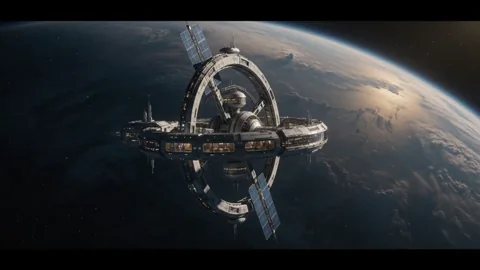
A distant orbital station rotates peacefully above a planet. For anyone who wants to improve the look of a desktop and keep it productive, “Back in Space 1” provides atmosphere without visual clutter — project Boxes gain atmosphere without losing clarity.

A bright orbital station glides calmly above a planet. Between desktop design and workspace organization, “Back in Space 2” creates a visual setting for concentrated, creative or relaxed work — project Boxes gain atmosphere without losing clarity.

Slow, shimmering liquid waves create a deeply calming surface. “Liquid Serenity 1” combines an individual desktop look with a calm stage for files, widgets and organized work areas — project Boxes gain atmosphere without losing clarity.

Slow, shimmering liquid waves create a deeply calming surface. “Liquid Serenity 2” works as an animated desktop background for focused work sessions and clearly arranged Boxes — the scene gives creative ideation a distinctive visual frame.

Gentle ocean waves move through warm sunset light. With “Golden Shore 1”, users can personalize a Windows desktop without pushing files, folders or controls out of visual focus — the scene gives creative ideation a distinctive visual frame.

Gentle ocean waves move through warm sunset light. As a moving background, “Golden Shore 2” gives the digital workspace character while preserving a readable work area — the scene gives creative ideation a distinctive visual frame.

A calm coral reef with fish in natural blue-green light. “Blue Reef” adds motion to desktop customization and suits project Boxes, creative tasks and modern Windows setups — the scene gives creative ideation a distinctive visual frame.

A meditative library with subtle movement and softly drifting books. For anyone who wants to improve the look of a desktop and keep it productive, “Living Library 1” provides atmosphere without visual clutter — the scene gives creative ideation a distinctive visual frame.

A meditative library with subtle movement and softly drifting books. Between desktop design and workspace organization, “Living Library 2” creates a visual setting for concentrated, creative or relaxed work — the scene gives creative ideation a distinctive visual frame.

A meditative library with subtle movement and softly drifting books. “Living Library 3” combines an individual desktop look with a calm stage for files, widgets and organized work areas — the scene gives creative ideation a distinctive visual frame.

A meditative library with subtle movement and softly drifting books. “Living Library 4” works as an animated desktop background for focused work sessions and clearly arranged Boxes — the result fits a modern Windows 11 desktop setup.

A quiet lunar base with subtle lights and softly twinkling stars. With “Moon Silence 1”, users can personalize a Windows desktop without pushing files, folders or controls out of visual focus — the result fits a modern Windows 11 desktop setup.
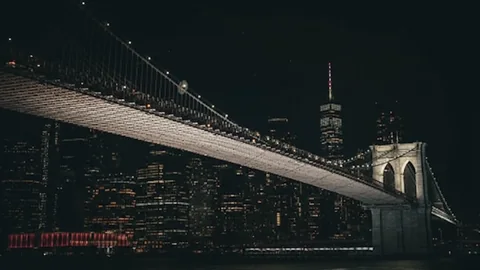
The illuminated Brooklyn Bridge spans the night skyline of New York. The dark city scene adds depth to modern workspaces. As a moving background, “New York Brooklyn Bridge” gives the digital workspace character while preserving a readable work area — the result fits a modern Windows 11 desktop setup.
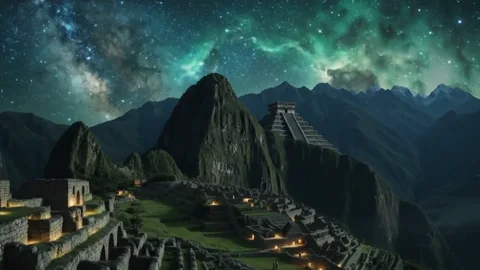
A quiet lunar base with subtle lights and softly twinkling stars. “Moon Silence 3” adds motion to desktop customization and suits project Boxes, creative tasks and modern Windows setups — the result fits a modern Windows 11 desktop setup.

A spacecraft glides toward a monumental orbital station. For anyone who wants to improve the look of a desktop and keep it productive, “Arrival at the Ring” provides atmosphere without visual clutter — the result fits a modern Windows 11 desktop setup.

Hannah quietly watches the New York skyline. Between desktop design and workspace organization, “Hannah Above New York” creates a visual setting for concentrated, creative or relaxed work — the result fits a modern Windows 11 desktop setup.

Hannah travels calmly across the open sea. “Hannah at Sea” combines an individual desktop look with a calm stage for files, widgets and organized work areas — the result fits a modern Windows 11 desktop setup.

A robot waters a flower as a heart-shaped balloon rises. “A Sign of Hope” works as an animated desktop background for focused work sessions and clearly arranged Boxes — personalization stays expressive without turning into visual clutter.

A fox quietly watches the forest beside a warm lantern. With “Lantern Fox”, users can personalize a Windows desktop without pushing files, folders or controls out of visual focus — personalization stays expressive without turning into visual clutter.

A calm, silent animation: The Red Balloon. As a moving background, “The Red Balloon” gives the digital workspace character while preserving a readable work area — personalization stays expressive without turning into visual clutter.

A calm, silent animation: Magical Tides. “Magical Tides” adds motion to desktop customization and suits project Boxes, creative tasks and modern Windows setups — personalization stays expressive without turning into visual clutter.

A calm, silent animation: Black Crystal 1. For anyone who wants to improve the look of a desktop and keep it productive, “Black Crystal 1” provides atmosphere without visual clutter — personalization stays expressive without turning into visual clutter.

A calm, silent animation: Black Crystal 2. Between desktop design and workspace organization, “Black Crystal 2” creates a visual setting for concentrated, creative or relaxed work — personalization stays expressive without turning into visual clutter.

A calm, silent animation: Reading on the Night Train. “Reading on the Night Train” combines an individual desktop look with a calm stage for files, widgets and organized work areas — personalization stays expressive without turning into visual clutter.

A calm, silent animation: The Birth of Rain. “The Birth of Rain” works as an animated desktop background for focused work sessions and clearly arranged Boxes — reading and research retain a calm visual backdrop.

A calm, silent animation: Departure Between Worlds. With “Departure Between Worlds”, users can personalize a Windows desktop without pushing files, folders or controls out of visual focus — reading and research retain a calm visual backdrop.
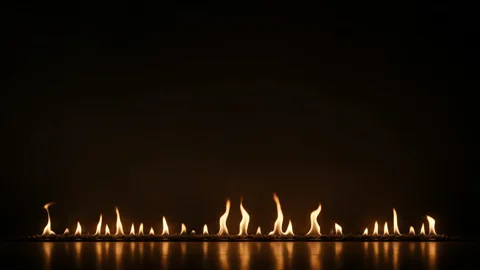
A calm, silent animation: Silent Flames. As a moving background, “Silent Flames” gives the digital workspace character while preserving a readable work area — reading and research retain a calm visual backdrop.

A calm, silent animation: Ancient Seabed. “Ancient Seabed” adds motion to desktop customization and suits project Boxes, creative tasks and modern Windows setups — reading and research retain a calm visual backdrop.
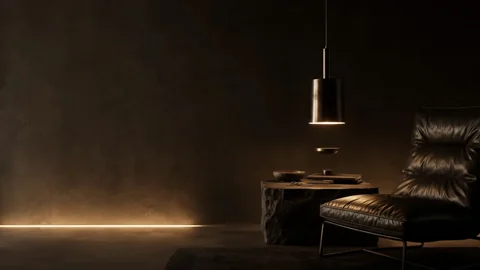
A calm, silent animation: Light in the Silence. For anyone who wants to improve the look of a desktop and keep it productive, “Light in the Silence” provides atmosphere without visual clutter — reading and research retain a calm visual backdrop.

A calm, silent animation: The Archive of Magical Stones. Between desktop design and workspace organization, “The Archive of Magical Stones” creates a visual setting for concentrated, creative or relaxed work — reading and research retain a calm visual backdrop.

A calm, silent animation: The Moment Before the Putt. “The Moment Before the Putt” combines an individual desktop look with a calm stage for files, widgets and organized work areas — reading and research retain a calm visual backdrop.

A calm, silent animation: Rowing in Silence. “Rowing in Silence” works as an animated desktop background for focused work sessions and clearly arranged Boxes — planning and writing benefit from a clearly defined workspace.

A calm, silent animation: The Silent Voyager. With “The Silent Voyager”, users can personalize a Windows desktop without pushing files, folders or controls out of visual focus — planning and writing benefit from a clearly defined workspace.
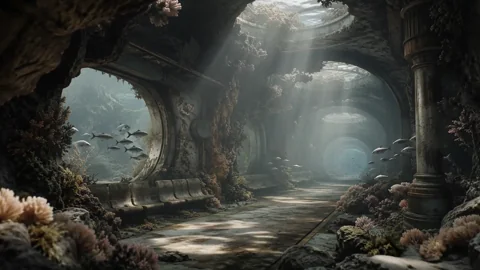
A calm, silent animation: Sunken Passage. As a moving background, “Sunken Passage” gives the digital workspace character while preserving a readable work area — planning and writing benefit from a clearly defined workspace.

A calm, silent animation: The Silent Underwater Lounge. “The Silent Underwater Lounge” adds motion to desktop customization and suits project Boxes, creative tasks and modern Windows setups — planning and writing benefit from a clearly defined workspace.

Starry sky at night - calm atmosphere, twinkling stars. For anyone who wants to improve the look of a desktop and keep it productive, “Night Sky with Stars” provides atmosphere without visual clutter — planning and writing benefit from a clearly defined workspace.

Dark ocean at night - mysterious waves, deep black. Between desktop design and workspace organization, “Black Ocean” creates a visual setting for concentrated, creative or relaxed work — planning and writing benefit from a clearly defined workspace.

Live charts and prices - dynamic market data, green glow. “Stock Market Values” combines an individual desktop look with a calm stage for files, widgets and organized work areas — planning and writing benefit from a clearly defined workspace.

Black ink drops into water - hypnotic clouds, black and white. “Ink in Water” works as an animated desktop background for focused work sessions and clearly arranged Boxes — the composition brings character to a home-office desktop.

Green digital rain - falling characters, Matrix code. With “The Matrix”, users can personalize a Windows desktop without pushing files, folders or controls out of visual focus — the composition brings character to a home-office desktop.

A sunlit room opens onto a quiet mountain lake and wooden jetty. As a moving background, “Lakeside Stillness” gives the digital workspace character while preserving a readable work area — the composition brings character to a home-office desktop.

Polished liquid-metal waves flow through soft silver light. “Liquid Silver” adds motion to desktop customization and suits project Boxes, creative tasks and modern Windows setups — the composition brings character to a home-office desktop.

A futuristic tower sends violet light pulses across a cloud-ringed skyline. For anyone who wants to improve the look of a desktop and keep it productive, “Violet Tower Pulse” provides atmosphere without visual clutter — the composition brings character to a home-office desktop.

Blue and violet light trails sweep through a dark abstract space. Between desktop design and workspace organization, “Neon Light Flow” creates a visual setting for concentrated, creative or relaxed work — the composition brings character to a home-office desktop.

Stone guardians flank a rotating luminous gate in an ancient hall. “Portal Guardians” combines an individual desktop look with a calm stage for files, widgets and organized work areas — the composition brings character to a home-office desktop.

A chimpanzee watches the sunrise from an overgrown ruined building. “Guardian of the Ruins” works as an animated desktop background for focused work sessions and clearly arranged Boxes — widgets and desktop icons remain visually accessible.

Green northern lights drift above an icy landscape and reflect on the lake. With “Aurora Mirror”, users can personalize a Windows desktop without pushing files, folders or controls out of visual focus — widgets and desktop icons remain visually accessible.

Translucent crystalline forms glide beneath cool shafts of light. As a moving background, “Crystal Current” gives the digital workspace character while preserving a readable work area — widgets and desktop icons remain visually accessible.

Aquatic grasses sway gently in a clear, sunlit underwater meadow. “Underwater Meadow” adds motion to desktop customization and suits project Boxes, creative tasks and modern Windows setups — widgets and desktop icons remain visually accessible.

A light curtain moves beside a tranquil desert oasis in warm morning light. For anyone who wants to improve the look of a desktop and keep it productive, “Desert Breeze” provides atmosphere without visual clutter — widgets and desktop icons remain visually accessible.

A single flame dances in a dark bowl against a calm, warm backdrop. Between desktop design and workspace organization, “Quiet Flame” creates a visual setting for concentrated, creative or relaxed work — widgets and desktop icons remain visually accessible.

Transparent glass panels hover and rotate in a bright minimalist room. “Floating Glass” combines an individual desktop look with a calm stage for files, widgets and organized work areas — widgets and desktop icons remain visually accessible.

A soft cushion floats gently above a quiet modern living room. “Weightless Comfort” works as an animated desktop background for focused work sessions and clearly arranged Boxes — subtle motion creates a restorative pause between tasks.

A fox rests beside an open book and a warm cup in golden light. With “Quiet Fox”, users can personalize a Windows desktop without pushing files, folders or controls out of visual focus — subtle motion creates a restorative pause between tasks.

An otter writes at a calm desk overlooking a pale, open sea. As a moving background, “Otter's Desk” gives the digital workspace character while preserving a readable work area — subtle motion creates a restorative pause between tasks.

Soft light and passing movement animate a historic railway station. “Timeless Station” adds motion to desktop customization and suits project Boxes, creative tasks and modern Windows setups — subtle motion creates a restorative pause between tasks.

Mount Fuji and cherry blossoms are reflected in a calm lakeside panorama. For anyone who wants to improve the look of a desktop and keep it productive, “Fuji Reflections” provides atmosphere without visual clutter — subtle motion creates a restorative pause between tasks.

A wooden boat rests beside a quiet fjord framed by steep mountains. Between desktop design and workspace organization, “Fjord Stillness” creates a visual setting for concentrated, creative or relaxed work — subtle motion creates a restorative pause between tasks.

An orca glides through pale water beside a sculpted blue iceberg. “Orca at the Iceberg” combines an individual desktop look with a calm stage for files, widgets and organized work areas — subtle motion creates a restorative pause between tasks.

Red traffic lights pulse above rain-slick Broadway at night. “Broadway Rain Signals” works as an animated desktop background for focused work sessions and clearly arranged Boxes — the digital workspace feels personal rather than generic.

Warm sunset light moves across sea stacks, rock arches and wet sand. With “Sunset Rock Arches”, users can personalize a Windows desktop without pushing files, folders or controls out of visual focus — the digital workspace feels personal rather than generic.

An empty Broadway glows with theatre signs and rain after midnight. As a moving background, “Broadway After Midnight” gives the digital workspace character while preserving a readable work area — the digital workspace feels personal rather than generic.

Soft haze drifts past a lamplit Gothic bridge and old stone lanes. “Gothic Bridge in the Haze” adds motion to desktop customization and suits project Boxes, creative tasks and modern Windows setups — the digital workspace feels personal rather than generic.

Rain shimmers across a quiet old-town street beneath warm lanterns. For anyone who wants to improve the look of a desktop and keep it productive, “Old Town Rain” provides atmosphere without visual clutter — the digital workspace feels personal rather than generic.

The Hollywood sign rests beneath a slowly moving field of stars. Between desktop design and workspace organization, “Hollywood Starfield” creates a visual setting for concentrated, creative or relaxed work — the digital workspace feels personal rather than generic.

Uluru rises beneath the Milky Way in a silent desert night. “Uluru Starlight” combines an individual desktop look with a calm stage for files, widgets and organized work areas — the digital workspace feels personal rather than generic.

Moonlight and a gentle breeze move across a secluded desert oasis. “Moonlit Desert Oasis” works as an animated desktop background for focused work sessions and clearly arranged Boxes — the moving image adds depth without demanding constant attention.

Warm harbor lights ripple across still water beneath a dark sky. With “Night Harbor”, users can personalize a Windows desktop without pushing files, folders or controls out of visual focus — the moving image adds depth without demanding constant attention.

A full moon casts a silver path over slow ocean waves. As a moving background, “Moonlit Sea” gives the digital workspace character while preserving a readable work area — the moving image adds depth without demanding constant attention.

A bright ship wake streams forward across open blue water. “Ocean Wake” adds motion to desktop customization and suits project Boxes, creative tasks and modern Windows setups — the moving image adds depth without demanding constant attention.

Two elephants walk beside a tropical river in warm sunset light. For anyone who wants to improve the look of a desktop and keep it productive, “Elephant Sunset” provides atmosphere without visual clutter — the moving image adds depth without demanding constant attention.

A racing circuit sweeps past in a calm, focused loop. Between desktop design and workspace organization, “Racing Line Focus” creates a visual setting for concentrated, creative or relaxed work — the moving image adds depth without demanding constant attention.

A primate rests beneath warm jungle light. “Primate Canopy Rest” combines an individual desktop look with a calm stage for files, widgets and organized work areas — the moving image adds depth without demanding constant attention.

Pandas overlook a green valley in the evening light. “Panda Valley Sunset” works as an animated desktop background for focused work sessions and clearly arranged Boxes — an aesthetic desktop setup remains practical for everyday work.

Waves break against a rocky coast beneath dramatic clouds. With “Storm Coast”, users can personalize a Windows desktop without pushing files, folders or controls out of visual focus — an aesthetic desktop setup remains practical for everyday work.

A waterfall flows through a sunlit rainforest. As a moving background, “Rainforest Waterfall” gives the digital workspace character while preserving a readable work area — an aesthetic desktop setup remains practical for everyday work.

Light strips glow inside a quiet observation deck above Earth. “Orbital Window Lights” adds motion to desktop customization and suits project Boxes, creative tasks and modern Windows setups — an aesthetic desktop setup remains practical for everyday work.

Soft leaf shadows move across a warm wall. For anyone who wants to improve the look of a desktop and keep it productive, “Leaf Shadows” provides atmosphere without visual clutter — an aesthetic desktop setup remains practical for everyday work.

Moving daylight fills a bright, minimalist interior. Between desktop design and workspace organization, “Minimal Light Architecture” creates a visual setting for concentrated, creative or relaxed work — an aesthetic desktop setup remains practical for everyday work.

A cyan pool of light drifts over a dark wall. “Cyan Light” combines an individual desktop look with a calm stage for files, widgets and organized work areas — an aesthetic desktop setup remains practical for everyday work.

A pale beam of light moves through a monochrome room. “Monochrome Light” works as an animated desktop background for focused work sessions and clearly arranged Boxes — the background links visual identity with productive desktop use.

Concentric patterns move slowly across fine sand. With “Zen Sand Ripples”, users can personalize a Windows desktop without pushing files, folders or controls out of visual focus — the background links visual identity with productive desktop use.

Balanced stones rest in a calm sand garden. As a moving background, “Zen Stone Balance” gives the digital workspace character while preserving a readable work area — the background links visual identity with productive desktop use.

A slow ripple reshapes the sand in a seamless meditation. “Deep Zen Ripples” adds motion to desktop customization and suits project Boxes, creative tasks and modern Windows setups — the background links visual identity with productive desktop use.

A soldier keeps watch beside armored vehicles in a storm-darkened combat zone. For anyone who wants to improve the look of a desktop and keep it productive, “Armored Sentinel” provides atmosphere without visual clutter — the background links visual identity with productive desktop use.

Streetlights and parked cars animate a colorful city district after dark. Between desktop design and workspace organization, “City Street at Night” creates a visual setting for concentrated, creative or relaxed work — the background links visual identity with productive desktop use.

A weathered coastal house, its resident and dog form a quiet game-world outpost. “Coastal Safehouse” combines an individual desktop look with a calm stage for files, widgets and organized work areas — the background links visual identity with productive desktop use.

A woman and her dog overlook an oceanfront game-world retreat. “Oceanfront Companion” works as an animated desktop background for focused work sessions and clearly arranged Boxes — files, folders and controls remain easy to scan, while the motif remains deliberately present rather than decorative filler.

A woman and her dog stand watch at a modern coastal residence. With “Coastal Residence”, users can personalize a Windows desktop without pushing files, folders or controls out of visual focus — files, folders and controls remain easy to scan, while the motif remains deliberately present rather than decorative filler.

Pale butterflies drift forward across a deep, silent darkness. As a moving background, “Butterflies Across the Dark” gives the digital workspace character while preserving a readable work area — files, folders and controls remain easy to scan, while the motif remains deliberately present rather than decorative filler.

Car Above Earth comes to life as a surreal, silent animation for boxes and the desktop. “Car Above Earth” adds motion to desktop customization and suits project Boxes, creative tasks and modern Windows setups — files, folders and controls remain easy to scan, while the motif remains deliberately present rather than decorative filler.

Desktop Above Earth comes to life as a surreal, silent animation for boxes and the desktop. For anyone who wants to improve the look of a desktop and keep it productive, “Desktop Above Earth” provides atmosphere without visual clutter — files, folders and controls remain easy to scan, while the motif remains deliberately present rather than decorative filler.

Floating Ancient Tree comes to life as a surreal, silent animation for boxes and the desktop. Between desktop design and workspace organization, “Floating Ancient Tree” creates a visual setting for concentrated, creative or relaxed work — files, folders and controls remain easy to scan, while the motif remains deliberately present rather than decorative filler.

Moon Across the Desktop comes to life as a surreal, silent animation for boxes and the desktop. “Moon Across the Desktop” combines an individual desktop look with a calm stage for files, widgets and organized work areas — files, folders and controls remain easy to scan, while the motif remains deliberately present rather than decorative filler.

Giant Water Drop comes to life as a surreal, silent animation for boxes and the desktop. “Giant Water Drop” works as an animated desktop background for focused work sessions and clearly arranged Boxes — the restrained visual rhythm supports deep-focus sessions, while the motif remains deliberately present rather than decorative filler.

Rising Melting Ice comes to life as a surreal, silent animation for boxes and the desktop. With “Rising Melting Ice”, users can personalize a Windows desktop without pushing files, folders or controls out of visual focus — the restrained visual rhythm supports deep-focus sessions, while the motif remains deliberately present rather than decorative filler.
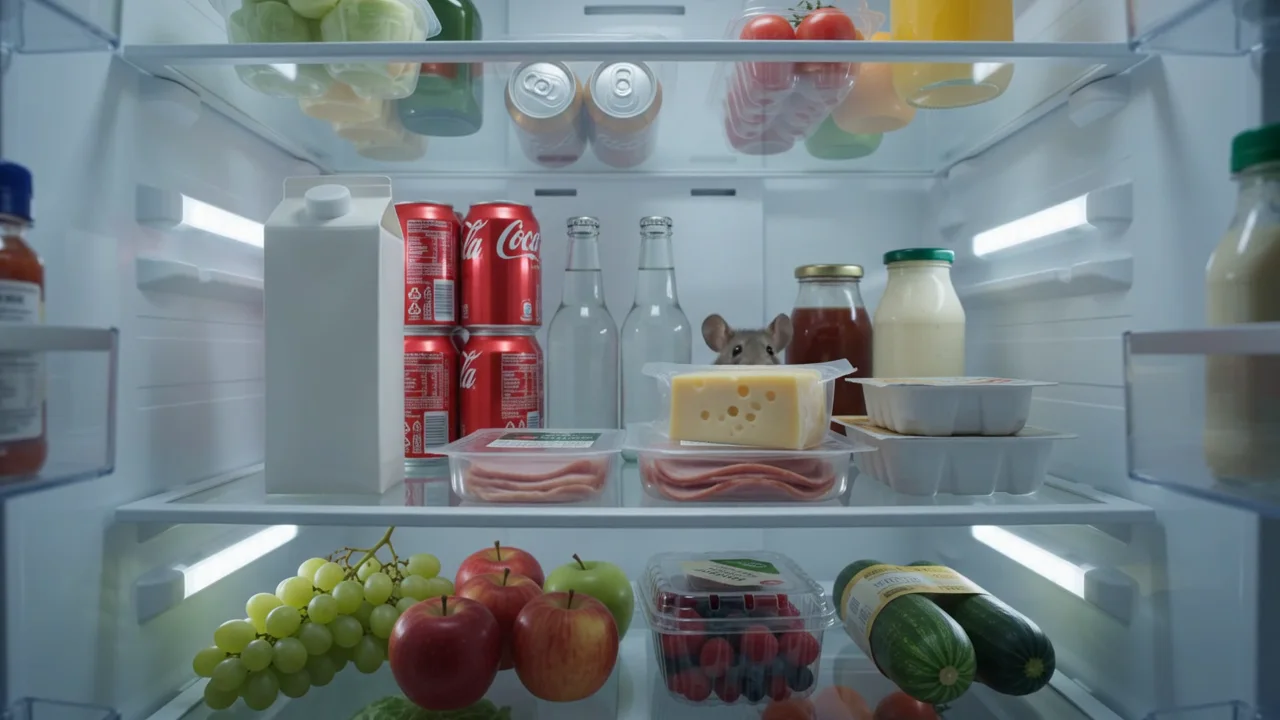
Mouse in the Refrigerator comes to life as a surreal, silent animation for boxes and the desktop. As a moving background, “Mouse in the Refrigerator” gives the digital workspace character while preserving a readable work area — the restrained visual rhythm supports deep-focus sessions, while the motif remains deliberately present rather than decorative filler.

Mouse on the Jet Windshield comes to life as a surreal, silent animation for boxes and the desktop. “Mouse on the Jet Windshield” adds motion to desktop customization and suits project Boxes, creative tasks and modern Windows setups — the restrained visual rhythm supports deep-focus sessions, while the motif remains deliberately present rather than decorative filler.

Panda in the Dark comes to life as a surreal, silent animation for boxes and the desktop. For anyone who wants to improve the look of a desktop and keep it productive, “Panda in the Dark” provides atmosphere without visual clutter — the restrained visual rhythm supports deep-focus sessions, while the motif remains deliberately present rather than decorative filler.

Stork on the Airplane Wing comes to life as a surreal, silent animation for boxes and the desktop. Between desktop design and workspace organization, “Stork on the Airplane Wing” creates a visual setting for concentrated, creative or relaxed work — the restrained visual rhythm supports deep-focus sessions, while the motif remains deliberately present rather than decorative filler.

Underwater Desktop comes to life as a surreal, silent animation for boxes and the desktop. “Underwater Desktop” combines an individual desktop look with a calm stage for files, widgets and organized work areas — the restrained visual rhythm supports deep-focus sessions, while the motif remains deliberately present rather than decorative filler.

Whale Shark in the Air comes to life as a surreal, silent animation for boxes and the desktop. “Whale Shark in the Air” works as an animated desktop background for focused work sessions and clearly arranged Boxes — project Boxes gain atmosphere without losing clarity, while the motif remains deliberately present rather than decorative filler.

Floating White Feather comes to life as a surreal, silent animation for boxes and the desktop. With “Floating White Feather”, users can personalize a Windows desktop without pushing files, folders or controls out of visual focus — project Boxes gain atmosphere without losing clarity, while the motif remains deliberately present rather than decorative filler.

A lighthouse beam sweeps steadily across the dark ocean and rocky shore. As a moving background, “Lighthouse Beacon” gives the digital workspace character while preserving a readable work area — project Boxes gain atmosphere without losing clarity, while the motif remains deliberately present rather than decorative filler.

A woman greets the setting sun in a calm yoga pose beside a winding stream. “Yoga Greeting at Sunset” adds motion to desktop customization and suits project Boxes, creative tasks and modern Windows setups — project Boxes gain atmosphere without losing clarity, while the motif remains deliberately present rather than decorative filler.

A woman meditates quietly beside a lake with Mount Fuji in view. For anyone who wants to improve the look of a desktop and keep it productive, “Meditation at Mount Fuji” provides atmosphere without visual clutter — project Boxes gain atmosphere without losing clarity, while the motif remains deliberately present rather than decorative filler.

A white goat runs across an alpine meadow beneath rugged mountain peaks. Between desktop design and workspace organization, “Goat on the Mountain Meadow” creates a visual setting for concentrated, creative or relaxed work — project Boxes gain atmosphere without losing clarity, while the motif remains deliberately present rather than decorative filler.

A curious Labrador watches a robot vacuum move through the living room. “Labrador and Robot Vacuum” combines an individual desktop look with a calm stage for files, widgets and organized work areas — project Boxes gain atmosphere without losing clarity, while the motif remains deliberately present rather than decorative filler.

A woman works at her computer while snowflakes drift through the warm room. “Snowflakes at the Computer” works as an animated desktop background for focused work sessions and clearly arranged Boxes — the scene gives creative ideation a distinctive visual frame, while the motif remains deliberately present rather than decorative filler.

A night guard crosses a dark museum hall surrounded by dinosaur skeletons. With “Night Watch at the Dinosaur Museum”, users can personalize a Windows desktop without pushing files, folders or controls out of visual focus — the scene gives creative ideation a distinctive visual frame, while the motif remains deliberately present rather than decorative filler.

Seen through an aquarium, a woman eats chips while watching television. As a moving background, “Television Evening Behind the Aquarium” gives the digital workspace character while preserving a readable work area — the scene gives creative ideation a distinctive visual frame, while the motif remains deliberately present rather than decorative filler.

A goldfish observes a woman enjoying chips in front of the television. “The Curious Goldfish” adds motion to desktop customization and suits project Boxes, creative tasks and modern Windows setups — the scene gives creative ideation a distinctive visual frame, while the motif remains deliberately present rather than decorative filler.

A woman types at a futuristic workstation while luminous interfaces respond around her. For anyone who wants to improve the look of a desktop and keep it productive, “Futuristic Workstation” provides atmosphere without visual clutter — the scene gives creative ideation a distinctive visual frame, while the motif remains deliberately present rather than decorative filler.

A woman observes a vast futuristic city from a quiet high-rise interior. Between desktop design and workspace organization, “City Beyond Tomorrow” creates a visual setting for concentrated, creative or relaxed work — the scene gives creative ideation a distinctive visual frame, while the motif remains deliberately present rather than decorative filler.

Animated monitors illuminate an otherwise empty office. “Autonomous Office” combines an individual desktop look with a calm stage for files, widgets and organized work areas — the scene gives creative ideation a distinctive visual frame, while the motif remains deliberately present rather than decorative filler.

A woman operates a robotic arm in a futuristic technology workspace. “Robotic Precision” works as an animated desktop background for focused work sessions and clearly arranged Boxes — the result fits a modern Windows 11 desktop setup, while the motif remains deliberately present rather than decorative filler.

A shark fin moves steadily through the open ocean. With “Fin on the Horizon”, users can personalize a Windows desktop without pushing files, folders or controls out of visual focus — the result fits a modern Windows 11 desktop setup, while the motif remains deliberately present rather than decorative filler.

Candle flames flicker gently through a quiet room. As a moving background, “Candlelit Stillness” gives the digital workspace character while preserving a readable work area — the result fits a modern Windows 11 desktop setup, while the motif remains deliberately present rather than decorative filler.

A glass bottle rests on the beach while sea and light move around it. “Message from the Shore” adds motion to desktop customization and suits project Boxes, creative tasks and modern Windows setups — the result fits a modern Windows 11 desktop setup, while the motif remains deliberately present rather than decorative filler.

A turntable and drawer move in a quiet, nostalgic interior. For anyone who wants to improve the look of a desktop and keep it productive, “Turntable of Memories” provides atmosphere without visual clutter — the result fits a modern Windows 11 desktop setup, while the motif remains deliberately present rather than decorative filler.
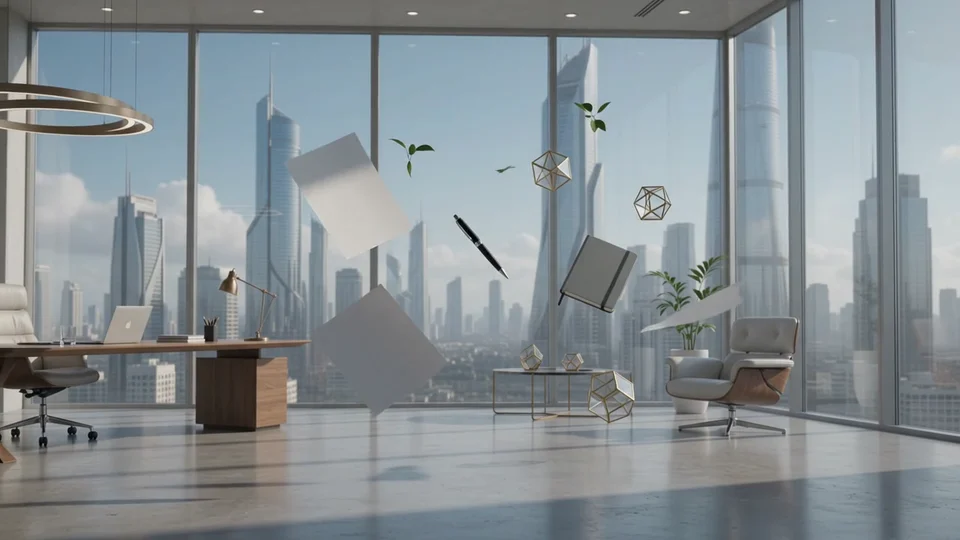
Everyday objects drift silently through a weightless room. Between desktop design and workspace organization, “Objects in Zero Gravity” creates a visual setting for concentrated, creative or relaxed work — the result fits a modern Windows 11 desktop setup, while the motif remains deliberately present rather than decorative filler.

A glass penthouse floats above an endless ocean of clouds. “Penthouse Above the Clouds” combines an individual desktop look with a calm stage for files, widgets and organized work areas — the result fits a modern Windows 11 desktop setup, while the motif remains deliberately present rather than decorative filler.

Rain traces the glass while Tokyo glows beyond the window. “Rain at a Tokyo Window” works as an animated desktop background for focused work sessions and clearly arranged Boxes — personalization stays expressive without turning into visual clutter, while the motif remains deliberately present rather than decorative filler.

A train crosses the lunar landscape beneath the darkness of space. With “Train Across the Moon”, users can personalize a Windows desktop without pushing files, folders or controls out of visual focus — personalization stays expressive without turning into visual clutter, while the motif remains deliberately present rather than decorative filler.

A digital artist creates at a luminous workstation in a modern studio. As a moving background, “Digital Artist Studio” gives the digital workspace character while preserving a readable work area — personalization stays expressive without turning into visual clutter, while the motif remains deliberately present rather than decorative filler.

A spacecraft glides toward the Moon through the darkness of space. “Spacecraft Approaching the Moon” adds motion to desktop customization and suits project Boxes, creative tasks and modern Windows setups — personalization stays expressive without turning into visual clutter, while the motif remains deliberately present rather than decorative filler.

A woman works at a computer in the focused atmosphere of an internet café. For anyone who wants to improve the look of a desktop and keep it productive, “Woman in an Internet Café” provides atmosphere without visual clutter — personalization stays expressive without turning into visual clutter, while the motif remains deliberately present rather than decorative filler.

A fast street basketball moment unfolds on a Brooklyn court. Between desktop design and workspace organization, “Brooklyn Street Basketball” creates a visual setting for concentrated, creative or relaxed work — personalization stays expressive without turning into visual clutter, while the motif remains deliberately present rather than decorative filler.

A glowing hot dog cart brings a lively city corner to life after dark. “Hot Dog Cart at Night” combines an individual desktop look with a calm stage for files, widgets and organized work areas — personalization stays expressive without turning into visual clutter, while the motif remains deliberately present rather than decorative filler.

Spacecraft at Saturn comes alive as a silent animation for boxes and the desktop. As a moving background, “Spacecraft at Saturn” gives the digital workspace character while preserving a readable work area — reading and research retain a calm visual backdrop, while the motif remains deliberately present rather than decorative filler.

Satellite over Earth comes alive as a silent animation for boxes and the desktop. “Satellite over Earth” adds motion to desktop customization and suits project Boxes, creative tasks and modern Windows setups — reading and research retain a calm visual backdrop, while the motif remains deliberately present rather than decorative filler.

Jellyfish Underwater comes alive as a silent animation for boxes and the desktop. For anyone who wants to improve the look of a desktop and keep it productive, “Jellyfish Underwater” provides atmosphere without visual clutter — reading and research retain a calm visual backdrop, while the motif remains deliberately present rather than decorative filler.

Robot Vacuum in the Penthouse comes alive as a silent animation for boxes and the desktop. Between desktop design and workspace organization, “Robot Vacuum in the Penthouse” creates a visual setting for concentrated, creative or relaxed work — reading and research retain a calm visual backdrop, while the motif remains deliberately present rather than decorative filler.

Fire in the Mountain Cabin comes alive as a silent animation for boxes and the desktop. “Fire in the Mountain Cabin” combines an individual desktop look with a calm stage for files, widgets and organized work areas — reading and research retain a calm visual backdrop, while the motif remains deliberately present rather than decorative filler.

Modern Penthouse Overlook comes alive as a silent animation for boxes and the desktop. “Modern Penthouse Overlook” works as an animated desktop background for focused work sessions and clearly arranged Boxes — planning and writing benefit from a clearly defined workspace, while the motif remains deliberately present rather than decorative filler.

Animated Penthouse Desk comes alive as a silent animation for boxes and the desktop. With “Animated Penthouse Desk”, users can personalize a Windows desktop without pushing files, folders or controls out of visual focus — planning and writing benefit from a clearly defined workspace, while the motif remains deliberately present rather than decorative filler.

Hollywood Hills Ambience comes alive as a silent animation for boxes and the desktop. As a moving background, “Hollywood Hills Ambience” gives the digital workspace character while preserving a readable work area — planning and writing benefit from a clearly defined workspace, while the motif remains deliberately present rather than decorative filler.

Black Hole in Space comes alive as a silent animation for boxes and the desktop. “Black Hole in Space” adds motion to desktop customization and suits project Boxes, creative tasks and modern Windows setups — planning and writing benefit from a clearly defined workspace, while the motif remains deliberately present rather than decorative filler.

Tokyo Taxi in the Rain comes alive as a silent animation for boxes and the desktop. For anyone who wants to improve the look of a desktop and keep it productive, “Tokyo Taxi in the Rain” provides atmosphere without visual clutter — planning and writing benefit from a clearly defined workspace, while the motif remains deliberately present rather than decorative filler.

Dark City Skyline comes alive as a silent animation for boxes and the desktop. Between desktop design and workspace organization, “Dark City Skyline” creates a visual setting for concentrated, creative or relaxed work — planning and writing benefit from a clearly defined workspace, while the motif remains deliberately present rather than decorative filler.

Glowing Gold Veins comes alive as a silent animation for boxes and the desktop. “Glowing Gold Veins” combines an individual desktop look with a calm stage for files, widgets and organized work areas — planning and writing benefit from a clearly defined workspace, while the motif remains deliberately present rather than decorative filler.

Game Controller Animation comes alive as a silent animation for boxes and the desktop. “Game Controller Animation” works as an animated desktop background for focused work sessions and clearly arranged Boxes — the composition brings character to a home-office desktop, while the motif remains deliberately present rather than decorative filler.

Me, the founder of GDB comes alive as a silent animation for boxes and the desktop. With “Me, the founder of GDB”, users can personalize a Windows desktop without pushing files, folders or controls out of visual focus — the composition brings character to a home-office desktop, while the motif remains deliberately present rather than decorative filler.

A silent Halloween animation for boxes and the desktop. As a moving background, “Skeleton Puppets” gives the digital workspace character while preserving a readable work area — the composition brings character to a home-office desktop, while the motif remains deliberately present rather than decorative filler.

A silent Halloween animation for boxes and the desktop. “Dogs and Candles” adds motion to desktop customization and suits project Boxes, creative tasks and modern Windows setups — the composition brings character to a home-office desktop, while the motif remains deliberately present rather than decorative filler.

A silent Halloween animation for boxes and the desktop. For anyone who wants to improve the look of a desktop and keep it productive, “Victorian Halloween Reading Room” provides atmosphere without visual clutter — the composition brings character to a home-office desktop, while the motif remains deliberately present rather than decorative filler.

A silent Christmas animation for boxes and the desktop. Between desktop design and workspace organization, “Snowy Christmas House” creates a visual setting for concentrated, creative or relaxed work — the composition brings character to a home-office desktop, while the motif remains deliberately present rather than decorative filler.

A silent Christmas animation for boxes and the desktop. “Snowfall in a Christmas Ornament” combines an individual desktop look with a calm stage for files, widgets and organized work areas — the composition brings character to a home-office desktop, while the motif remains deliberately present rather than decorative filler.

A calm, silent animation for boxes and the desktop. “Candle in Stillness” works as an animated desktop background for focused work sessions and clearly arranged Boxes — widgets and desktop icons remain visually accessible, while the motif remains deliberately present rather than decorative filler.

A calm, silent animation for boxes and the desktop. With “Futuristic Interior”, users can personalize a Windows desktop without pushing files, folders or controls out of visual focus — widgets and desktop icons remain visually accessible, while the motif remains deliberately present rather than decorative filler.

A calm, silent animation for boxes and the desktop. As a moving background, “Book in the Rain” gives the digital workspace character while preserving a readable work area — widgets and desktop icons remain visually accessible, while the motif remains deliberately present rather than decorative filler.

A calm, silent animation for boxes and the desktop. “Floating Forms” adds motion to desktop customization and suits project Boxes, creative tasks and modern Windows setups — widgets and desktop icons remain visually accessible, while the motif remains deliberately present rather than decorative filler.

A calm, silent animation for boxes and the desktop. For anyone who wants to improve the look of a desktop and keep it productive, “Misty Landscape” provides atmosphere without visual clutter — widgets and desktop icons remain visually accessible, while the motif remains deliberately present rather than decorative filler.

A silent underwater animation for boxes and the desktop. Between desktop design and workspace organization, “Stingray over the Seabed” creates a visual setting for concentrated, creative or relaxed work — widgets and desktop icons remain visually accessible, while the motif remains deliberately present rather than decorative filler.

A silent underwater animation for boxes and the desktop. “School of Fish” combines an individual desktop look with a calm stage for files, widgets and organized work areas — widgets and desktop icons remain visually accessible, while the motif remains deliberately present rather than decorative filler.

A silent underwater animation for boxes and the desktop. “Swordfish Underwater” works as an animated desktop background for focused work sessions and clearly arranged Boxes — subtle motion creates a restorative pause between tasks, while the motif remains deliberately present rather than decorative filler.

A silent seasonal animation featuring “Halloween Craft Table” for boxes and the desktop. With “Halloween Craft Table”, users can personalize a Windows desktop without pushing files, folders or controls out of visual focus — subtle motion creates a restorative pause between tasks, while the motif remains deliberately present rather than decorative filler.

A silent seasonal animation featuring “Foggy Pumpkin Still Life” for boxes and the desktop. As a moving background, “Foggy Pumpkin Still Life” gives the digital workspace character while preserving a readable work area — subtle motion creates a restorative pause between tasks, while the motif remains deliberately present rather than decorative filler.

A silent seasonal animation featuring “Neon Halloween Laundromat” for boxes and the desktop. “Neon Halloween Laundromat” adds motion to desktop customization and suits project Boxes, creative tasks and modern Windows setups — subtle motion creates a restorative pause between tasks, while the motif remains deliberately present rather than decorative filler.

A silent seasonal animation featuring “Ghost on the Spiral Staircase” for boxes and the desktop. For anyone who wants to improve the look of a desktop and keep it productive, “Ghost on the Spiral Staircase” provides atmosphere without visual clutter — subtle motion creates a restorative pause between tasks, while the motif remains deliberately present rather than decorative filler.

A silent seasonal animation featuring “Snowy Observatory Telescope” for boxes and the desktop. Between desktop design and workspace organization, “Snowy Observatory Telescope” creates a visual setting for concentrated, creative or relaxed work — subtle motion creates a restorative pause between tasks, while the motif remains deliberately present rather than decorative filler.

A silent seasonal animation featuring “Christmas Still-Life Shadows” for boxes and the desktop. “Christmas Still-Life Shadows” combines an individual desktop look with a calm stage for files, widgets and organized work areas — subtle motion creates a restorative pause between tasks, while the motif remains deliberately present rather than decorative filler.

A silent seasonal animation featuring “Santa's Shadow” for boxes and the desktop. “Santa's Shadow” works as an animated desktop background for focused work sessions and clearly arranged Boxes — the digital workspace feels personal rather than generic, while the motif remains deliberately present rather than decorative filler.

A silent seasonal animation featuring “Gingerbread by the Tree” for boxes and the desktop. With “Gingerbread by the Tree”, users can personalize a Windows desktop without pushing files, folders or controls out of visual focus — the digital workspace feels personal rather than generic, while the motif remains deliberately present rather than decorative filler.

A silent seasonal animation featuring “Sleigh through the Snow” for boxes and the desktop. As a moving background, “Sleigh through the Snow” gives the digital workspace character while preserving a readable work area — the digital workspace feels personal rather than generic, while the motif remains deliberately present rather than decorative filler.

A silent seasonal animation featuring “Floating New Year Toast” for boxes and the desktop. “Floating New Year Toast” adds motion to desktop customization and suits project Boxes, creative tasks and modern Windows setups — the digital workspace feels personal rather than generic, while the motif remains deliberately present rather than decorative filler.

A silent seasonal animation featuring “New Year Gift with Confetti” for boxes and the desktop. For anyone who wants to improve the look of a desktop and keep it productive, “New Year Gift with Confetti” provides atmosphere without visual clutter — the digital workspace feels personal rather than generic, while the motif remains deliberately present rather than decorative filler.

A curious mouse turns enchanted pages in a warm library. Between desktop design and workspace organization, “Magical Mouse Reading” creates a visual setting for concentrated, creative or relaxed work — the digital workspace feels personal rather than generic, while the motif remains deliberately present rather than decorative filler.

A luminous doorway opens into a shifting, dreamlike world. “Mysterious Door” combines an individual desktop look with a calm stage for files, widgets and organized work areas — the digital workspace feels personal rather than generic, while the motif remains deliberately present rather than decorative filler.

Wooden bars move together in a calm geometric rhythm. “Wooden Bars in Motion” works as an animated desktop background for focused work sessions and clearly arranged Boxes — the moving image adds depth without demanding constant attention, while the motif remains deliberately present rather than decorative filler.

A seal swims calmly through a kelp forest. With “Seal in Kelp Forest”, users can personalize a Windows desktop without pushing files, folders or controls out of visual focus — the moving image adds depth without demanding constant attention, while the motif remains deliberately present rather than decorative filler.

A peaceful tropical hideaway with gentle natural movement. As a moving background, “Tropical Retreat” gives the digital workspace character while preserving a readable work area — the moving image adds depth without demanding constant attention, while the motif remains deliberately present rather than decorative filler.

A quiet canal scene flowing in a slow, restful rhythm. “Meditative Canal View” adds motion to desktop customization and suits project Boxes, creative tasks and modern Windows setups — the moving image adds depth without demanding constant attention, while the motif remains deliberately present rather than decorative filler.

A clear stream moves softly through a green forest. For anyone who wants to improve the look of a desktop and keep it productive, “Forest Stream” provides atmosphere without visual clutter — the moving image adds depth without demanding constant attention, while the motif remains deliberately present rather than decorative filler.

A secluded mountain refuge surrounded by calm nature. “Mountain Retreat” combines an individual desktop look with a calm stage for files, widgets and organized work areas — the moving image adds depth without demanding constant attention, while the motif remains deliberately present rather than decorative filler.

Architectural panels move in a minimal, soothing composition. “Meditative Architectural Panels” works as an animated desktop background for focused work sessions and clearly arranged Boxes — an aesthetic desktop setup remains practical for everyday work, while the motif remains deliberately present rather than decorative filler.

Silver Secret Agent Classic in a quiet collector garage — a silent ten-second car animation for desktop and Box backgrounds. With “Silver Secret Agent Classic”, users can personalize a Windows desktop without pushing files, folders or controls out of visual focus — an aesthetic desktop setup remains practical for everyday work, while the motif remains deliberately present rather than decorative filler.

Tokyo Supra Heritage in a quiet collector garage — a silent ten-second car animation for desktop and Box backgrounds. As a moving background, “Tokyo Supra Heritage” gives the digital workspace character while preserving a readable work area — an aesthetic desktop setup remains practical for everyday work, while the motif remains deliberately present rather than decorative filler.

Rally Beetle 53 in a quiet collector garage — a silent ten-second car animation for desktop and Box backgrounds. “Rally Beetle 53” adds motion to desktop customization and suits project Boxes, creative tasks and modern Windows setups — an aesthetic desktop setup remains practical for everyday work, while the motif remains deliberately present rather than decorative filler.

Black Corvette Night in a quiet collector garage — a silent ten-second car animation for desktop and Box backgrounds. For anyone who wants to improve the look of a desktop and keep it productive, “Black Corvette Night” provides atmosphere without visual clutter — an aesthetic desktop setup remains practical for everyday work, while the motif remains deliberately present rather than decorative filler.

British Racing Green in a quiet collector garage — a silent ten-second car animation for desktop and Box backgrounds. Between desktop design and workspace organization, “British Racing Green” creates a visual setting for concentrated, creative or relaxed work — an aesthetic desktop setup remains practical for everyday work, while the motif remains deliberately present rather than decorative filler.

White Countach Icon in a quiet collector garage — a silent ten-second car animation for desktop and Box backgrounds. “White Countach Icon” combines an individual desktop look with a calm stage for files, widgets and organized work areas — an aesthetic desktop setup remains practical for everyday work, while the motif remains deliberately present rather than decorative filler.

Orange NSX Heritage in a quiet collector garage — a silent ten-second car animation for desktop and Box backgrounds. “Orange NSX Heritage” works as an animated desktop background for focused work sessions and clearly arranged Boxes — the background links visual identity with productive desktop use, while the motif remains deliberately present rather than decorative filler.

Audi R8 Race 44 in a quiet collector garage — a silent ten-second car animation for desktop and Box backgrounds. With “Audi R8 Race 44”, users can personalize a Windows desktop without pushing files, folders or controls out of visual focus — the background links visual identity with productive desktop use, while the motif remains deliberately present rather than decorative filler.

Lancia Rally Legend in a quiet collector garage — a silent ten-second car animation for desktop and Box backgrounds. As a moving background, “Lancia Rally Legend” gives the digital workspace character while preserving a readable work area — the background links visual identity with productive desktop use, while the motif remains deliberately present rather than decorative filler.

Silver Gullwing Classic in a quiet collector garage — a silent ten-second car animation for desktop and Box backgrounds. “Silver Gullwing Classic” adds motion to desktop customization and suits project Boxes, creative tasks and modern Windows setups — the background links visual identity with productive desktop use, while the motif remains deliberately present rather than decorative filler.

Karmann Touring Classic in a quiet collector garage — a silent ten-second car animation for desktop and Box backgrounds. For anyone who wants to improve the look of a desktop and keep it productive, “Karmann Touring Classic” provides atmosphere without visual clutter — the background links visual identity with productive desktop use, while the motif remains deliberately present rather than decorative filler.

Magenta Muscle Car in a quiet collector garage — a silent ten-second car animation for desktop and Box backgrounds. Between desktop design and workspace organization, “Magenta Muscle Car” creates a visual setting for concentrated, creative or relaxed work — the background links visual identity with productive desktop use, while the motif remains deliberately present rather than decorative filler.

Black GTI Classic in a quiet collector garage — a silent ten-second car animation for desktop and Box backgrounds. “Black GTI Classic” combines an individual desktop look with a calm stage for files, widgets and organized work areas — the background links visual identity with productive desktop use, while the motif remains deliberately present rather than decorative filler.

Italian Silver Racer 13 in a quiet collector garage — a silent ten-second car animation for desktop and Box backgrounds. “Italian Silver Racer 13” works as an animated desktop background for focused work sessions and clearly arranged Boxes — files, folders and controls remain easy to scan, while the motif remains deliberately present rather than decorative filler.

White & Red GT3 in a quiet collector garage — a silent ten-second car animation for desktop and Box backgrounds. With “White & Red GT3”, users can personalize a Windows desktop without pushing files, folders or controls out of visual focus — files, folders and controls remain easy to scan, while the motif remains deliberately present rather than decorative filler.

Blue Mustang Stripes in a quiet collector garage — a silent ten-second car animation for desktop and Box backgrounds. As a moving background, “Blue Mustang Stripes” gives the digital workspace character while preserving a readable work area — files, folders and controls remain easy to scan, while the motif remains deliberately present rather than decorative filler.

Black 911 Classic in a quiet collector garage — a silent ten-second car animation for desktop and Box backgrounds. “Black 911 Classic” adds motion to desktop customization and suits project Boxes, creative tasks and modern Windows setups — files, folders and controls remain easy to scan, while the motif remains deliberately present rather than decorative filler.

Teal Camaro Z/28 in a quiet collector garage — a silent ten-second car animation for desktop and Box backgrounds. For anyone who wants to improve the look of a desktop and keep it productive, “Teal Camaro Z/28” provides atmosphere without visual clutter — files, folders and controls remain easy to scan, while the motif remains deliberately present rather than decorative filler.

Blue GT40 Number 7 in a quiet collector garage — a silent ten-second car animation for desktop and Box backgrounds. Between desktop design and workspace organization, “Blue GT40 Number 7” creates a visual setting for concentrated, creative or relaxed work — files, folders and controls remain easy to scan, while the motif remains deliberately present rather than decorative filler.

BMW Motorsport E30 in a quiet collector garage — a silent ten-second car animation for desktop and Box backgrounds. “BMW Motorsport E30” combines an individual desktop look with a calm stage for files, widgets and organized work areas — files, folders and controls remain easy to scan, while the motif remains deliberately present rather than decorative filler.
12 Real Watches
These 12 live world clocks automatically display the computer's local time wherever they are used. They follow the time zone configured on the device without transmitting location data and work as functional surfaces for the desktop or Desktop Boxes.

A black steel watch with a deep green dial shows the computer's current local time and date. “Black Green Precision” combines an individual desktop look with a calm stage for files, widgets and organized work areas — the moving image adds depth without demanding constant attention, while the motif remains deliberately present rather than decorative filler.

A polished silver watch with a deep sapphire-blue dial shows the computer's current local time. “Blue Sapphire Silver” works as an animated desktop background for focused work sessions and clearly arranged Boxes — an aesthetic desktop setup remains practical for everyday work, while the motif remains deliberately present rather than decorative filler.
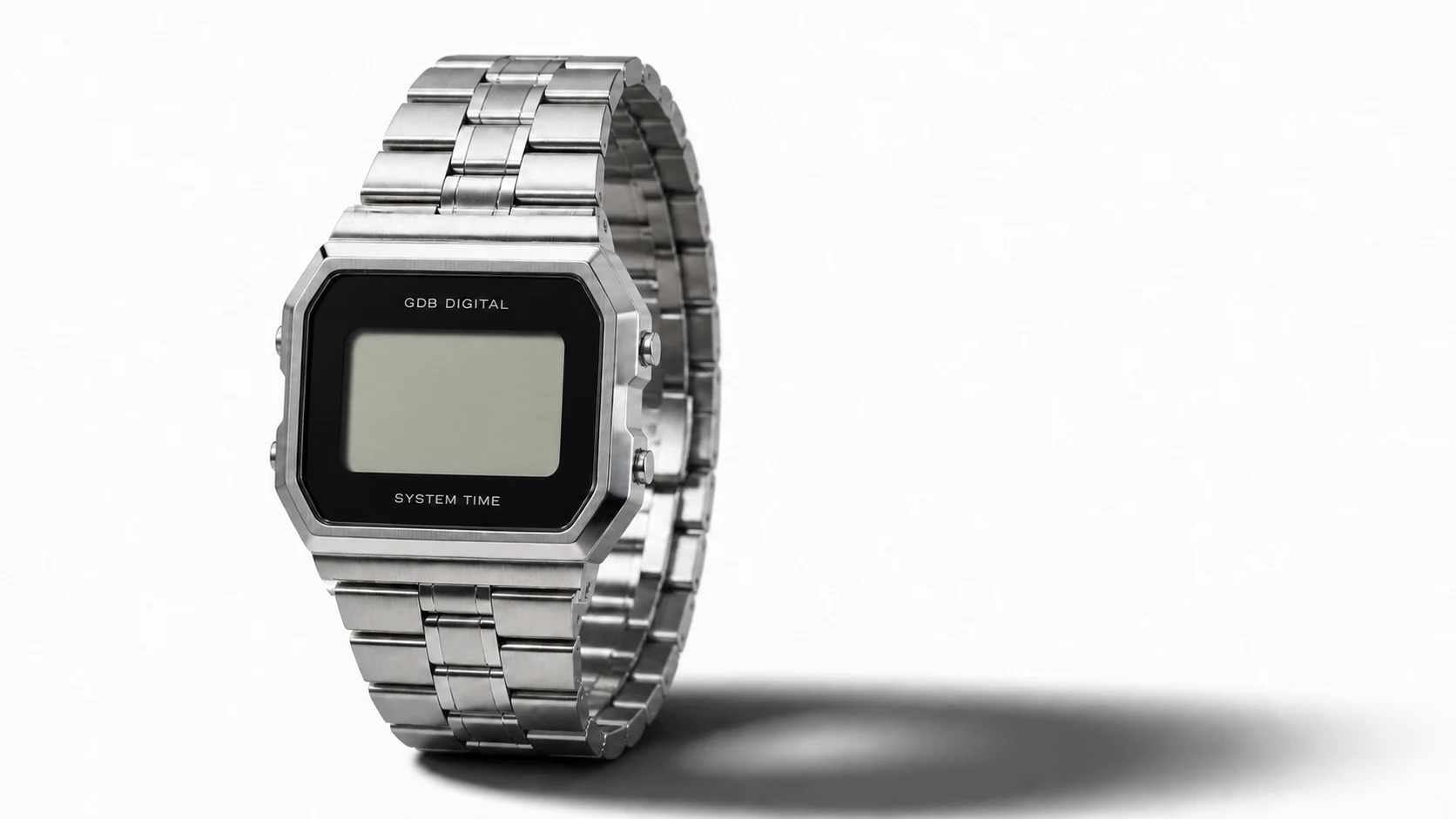
A silver digital watch shows the computer's current weekday, date and time including seconds. With “Digital Silver System Time”, users can personalize a Windows desktop without pushing files, folders or controls out of visual focus — an aesthetic desktop setup remains practical for everyday work, while the motif remains deliberately present rather than decorative filler.

A gold chronograph with a green dial shows the computer's current local time. As a moving background, “Gold Green Chronograph” gives the digital workspace character while preserving a readable work area — an aesthetic desktop setup remains practical for everyday work, while the motif remains deliberately present rather than decorative filler.

A luminous night chronograph shows the computer's current local time with realistic phosphor-style hands. “Night Lume Chronograph” adds motion to desktop customization and suits project Boxes, creative tasks and modern Windows setups — an aesthetic desktop setup remains practical for everyday work, while the motif remains deliberately present rather than decorative filler.
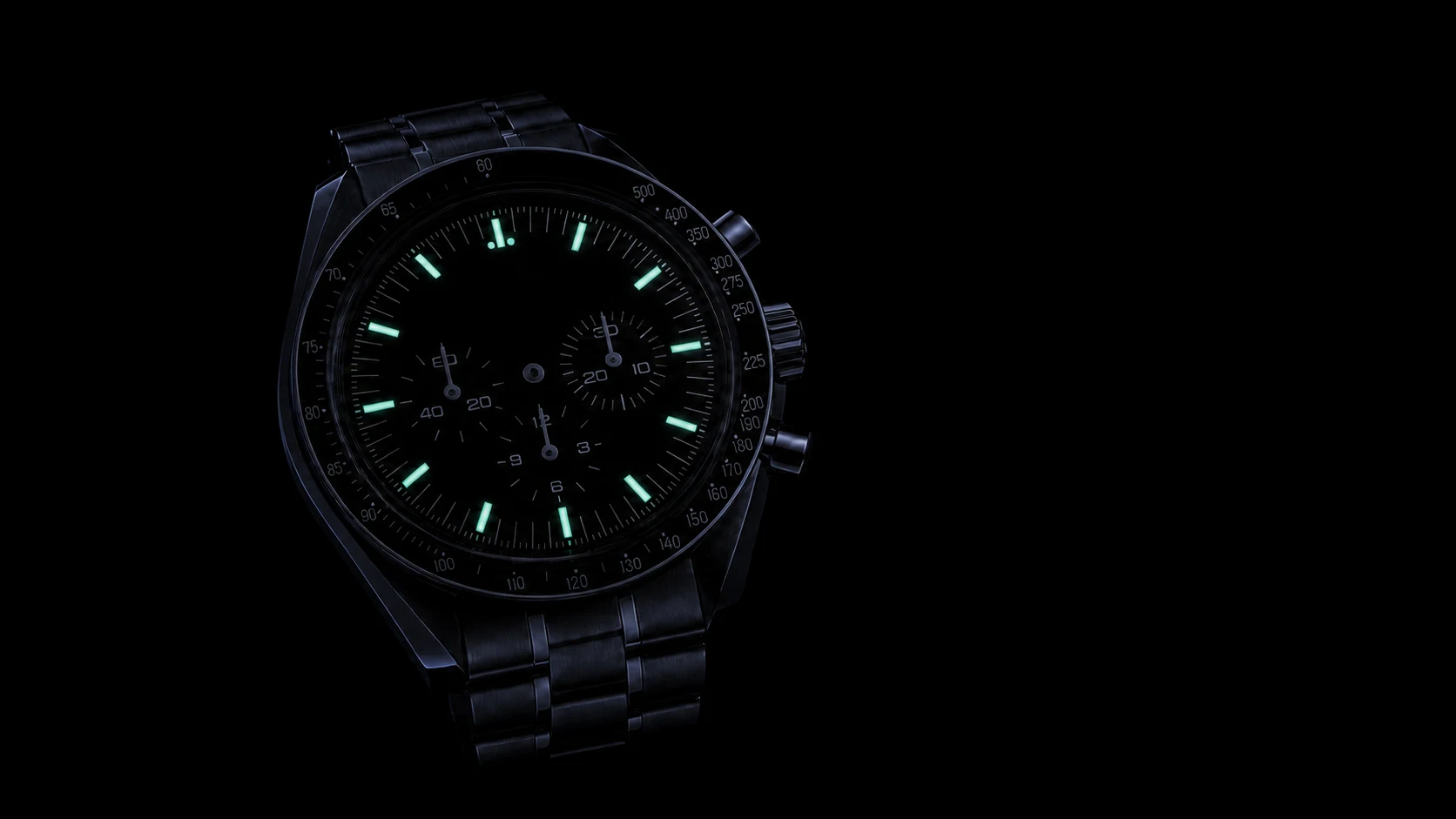
In near-total darkness, phosphorescent markers and live hands reveal the computer's current local time while the case remains a faint silhouette. For anyone who wants to improve the look of a desktop and keep it productive, “Chronograph After Dark” provides atmosphere without visual clutter — an aesthetic desktop setup remains practical for everyday work, while the motif remains deliberately present rather than decorative filler.
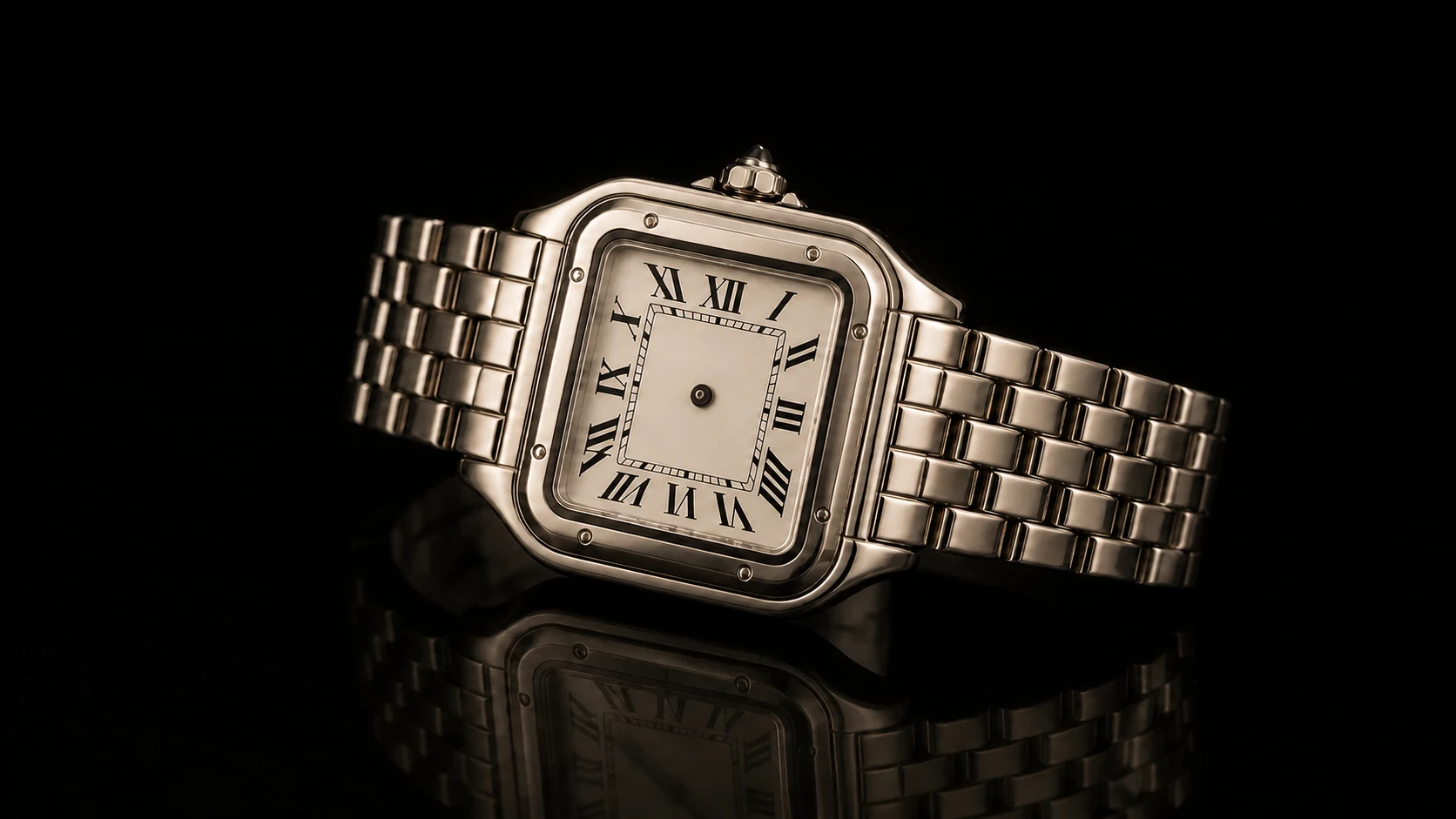
An elegant rectangular silver watch in warm light shows the computer's current local time. Between desktop design and workspace organization, “Warm Rectangular Classic” creates a visual setting for concentrated, creative or relaxed work — an aesthetic desktop setup remains practical for everyday work, while the motif remains deliberately present rather than decorative filler.

A steel watch with an ivory dial shows the computer's current local time. “Steel Ivory Classic” combines an individual desktop look with a calm stage for files, widgets and organized work areas — an aesthetic desktop setup remains practical for everyday work, while the motif remains deliberately present rather than decorative filler.

A gold chronograph with a green dial shows the computer's current local time in an elegant black studio. “Gold Green Chronograph – Black Studio” works as an animated desktop background for focused work sessions and clearly arranged Boxes — the background links visual identity with productive desktop use, while the motif remains deliberately present rather than decorative filler.

A silver digital watch in a black studio shows weekday, date and computer time including seconds on a softly illuminated LCD. With “Digital Silver System Time – Black Studio”, users can personalize a Windows desktop without pushing files, folders or controls out of visual focus — the background links visual identity with productive desktop use, while the motif remains deliberately present rather than decorative filler.
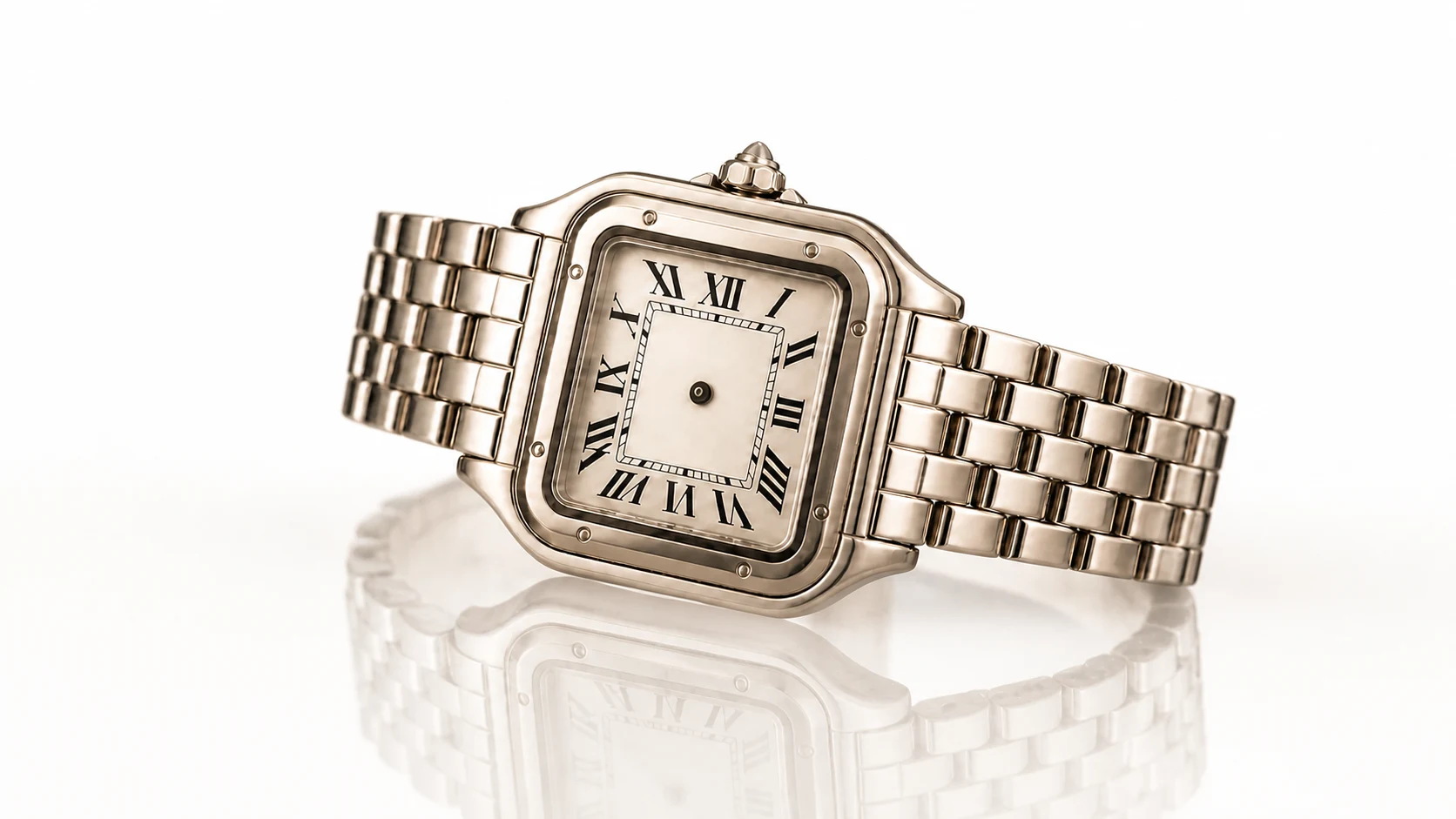
An elegant rectangular silver watch above reflective white glass shows the computer's current local time. As a moving background, “White Glass Rectangular Classic” gives the digital workspace character while preserving a readable work area — the background links visual identity with productive desktop use, while the motif remains deliberately present rather than decorative filler.

An elegant horizontal live clock shows the computer's local time, date and time zone with a gentle golden seconds pulse. “Horizon System Time” adds motion to desktop customization and suits project Boxes, creative tasks and modern Windows setups — the background links visual identity with productive desktop use, while the motif remains deliberately present rather than decorative filler.
Your own motion
Use personal MP4 videos as immersive desktop backgrounds. Create workspaces that reflect your projects, creativity, or mood without changing how your files are stored.
Curated movement
Choose professionally designed animated environments created for Glass Desktop Box™, including Ocean Waves, Floating Glass, Northern Lights, Rain Drops, Fire & Embers, Space Journey, Abstract Motion, Water Reflections, Dream Worlds, and Forest Breeze.
Saved independently
Every experience remembers its wallpaper, animated background, Desktop Boxes, colors, transparency, and layout. Switching restores the complete workspace automatically.
Designed to stay smooth
Animated backgrounds use lightweight, continuous playback designed for visual comfort. Select an efficient loop and keep the desktop responsive throughout the day.
FAQ
Yes. Motion Desktop Experiences support personal MP4 video backgrounds, so you can use your own footage, project visuals, or carefully chosen ambient loops as part of a workspace.
MP4 is the recommended format for Motion Desktop Experiences because it offers broad compatibility and efficient playback. Choose a reasonably sized, looping video for the best experience.
Motion backgrounds are designed for lightweight, GPU-accelerated playback. Actual impact depends on video resolution, frame rate, and your hardware, so shorter optimized loops are best for everyday work.
Yes. Each Desktop Experience can retain its own wallpaper or motion background together with its Desktop Boxes, colors, transparency, and layout settings.
Yes. Switching an experience restores its saved visual environment, including its selected motion background and workspace configuration.
Glass Desktop Box includes curated motion collections alongside its Desktop Experience system. You can also personalize any workspace with your own MP4 background.
Yes. Motion backgrounds are designed to sit behind Desktop Boxes and Organizer Boxes, while color and transparency controls help keep labels and files comfortable to read.
Your desktop, in motion
Choose a motion collection or your own MP4 video, then organize the desktop around the way you work.
Download Glass Desktop Box